


Last updated: August 7, 2026
Retail generates data faster than almost any other industry — POS transactions, warehouse stock levels, SKU-level movement, promo performance, and in-store and app behavior all pile up daily. The bottleneck is rarely a lack of data; it's that the data lives in a dozen disconnected systems: point-of-sale software, ERP, CRM, warehouse management, and ad platforms. Retail business intelligence software exists to solve exactly that — pulling everything into one view and turning raw numbers into decisions: what to reorder, which shelf to clear, which promo to pull.
We reviewed current retail BI comparisons, vendor pricing pages, and analyst write-ups from 2026 and put together a list of ten platforms that represent the best business intelligence software for retail available today. The list isn't ranked best-to-worst; each platform is built for a different scale of retailer and a different budget, so alongside pros and cons for each tool, we've included pricing, free-tier availability, a segment-by-segment recommendation, and a comparison table to help narrow down the right fit.
How we Selected these Platforms
- Consistent presence in independent comparisons.We prioritized retail BI software that shows up repeatedly across different review sites and analyst sources, not just in a single vendor's own case studies.
- Actual retail fit.Either the platform ships with retail-specific templates and POS/ERP connectors, or it's flexible enough to cover the core retail BI use cases: sales by SKU, inventory, promotions, margin, and customer churn.
- Active development.Recent releases, current documentation, and ongoing product investment — this filtered out tools that technically still exist but have stopped meaningfully evolving.
Best Business Intelligence Software for Retail
Microsoft Power BI
Power BI remains one of the most widely deployed business intelligence tools worldwide, largely because of its deep integration with Excel, Microsoft 365, and Azure — a stack most retailers already run on. It handles data prep, modeling, and dashboarding in a single interface, and its large open community keeps adding connectors and prebuilt visuals.
Pricing:Free tier (Power BI Desktop, authoring only — no sharing); Pro from$14/user/month; Premium Per User from$24/user/month(billed annually); capacity-based Fabric plans priced separately for large deployments.
Free version:Yes, but limited to solo report-building — a paid seat is required the moment reports need to be shared.
Best retail size:Independent stores up to large national chains — pricing scales cleanly at both ends.
Pros
- Lowest cost of entry among major BI platforms, especially for teams already paying for Microsoft 365
- Familiar interface reduces training time for retail staff
- Huge library of community-built connectors and templates
Cons
- Retail-specific reporting has to be built from scratch — no out-of-the-box store/SKU templates
- Performance can degrade with very large, complex retail datasets without careful modeling
- Licensing gets confusing fast once Fabric capacity is added to the mix
Who should choose this platform?
Retail chains already standardized on Microsoft 365 and Azure that want a low-cost way to get corporate and finance reporting running quickly, and are willing to build their own retail data models in-house.
Tableau (Salesforce)
Tableau is one of the most recognizable names in data visualization, known for flexible dashboard building and strong visual analytics without requiring deep technical skills. It connects to hundreds of data sources, runs in the cloud or on-prem, and offers embedded analytics for external portals.
Pricing:Viewer from$15/user/month, Explorer from$42/user/month, Creator from$75/user/month(Standard tier, billed annually); Enterprise tier runs roughly $35/$70/$115 for the same roles.
Free version:No genuine free collaborative tier — Tableau Public is free but publishes visualizations openly online, and Tableau Desktop's free edition is local-only with no sharing.
Best retail size:Mid-size to large chains with a dedicated analytics or category management team.
Pros
- Best-in-class visual exploration — analysts can find anomalies without writing queries
- Connects to virtually any data source retailers already use
- Strong embedded-analytics option for supplier or franchisee portals
Cons
- Every deployment requires at least one Creator license, which is the most expensive seat type
- Costs scale quickly once you move from Standard to Enterprise pricing
- No meaningful free tier for real business use
Who should choose this platform?
Retail analytics and category management teams that need to explore sales, inventory, and customer data visually and are prepared to pay a premium for Creator seats.
Qlik Cloud Analytics (Qlik Sense)
Qlik runs on an associative engine that surfaces non-obvious relationships in data without predefined hierarchies — a different model from most query-based BI tools. In early 2026, Qlik brought agentic analytics features and an MCP server for third-party AI assistants to general availability, putting it firmly in the conversation around AI-driven analytics.
Pricing:Qlik Sense Business from$30/user/month; Qlik Sense Enterprise SaaS from$70/user/month(billed annually); on-premise Enterprise is quoted separately.
Free version:Qlik Sense Business Desktop is permanently free for individual use (no sharing); Qlik Cloud offers a 30-day free trial.
Best retail size:Mid-market to enterprise chains that need cross-category, cross-store analysis rather than single-metric dashboards.
Pros
- Associative engine surfaces cross-category and cross-store patterns that query-based tools can miss
- New agentic/MCP features make it one of the more forward-leaning platforms on conversational analytics
- Strong embedded-analytics and governance tooling for larger organizations
Cons
- Pricing is widely reported as less transparent than competitors, with heavy reliance on custom quotes
- The associative data model has a steeper learning curve than simple drag-and-drop tools
- Reviewers frequently flag it as expensive relative to Power BI at comparable scale
Who should choose this platform?
Retail chains that need to understand cross-category effects — for example, how a promotion in one department moves sales in another — and can invest in the setup time the associative model requires.
Datawiz
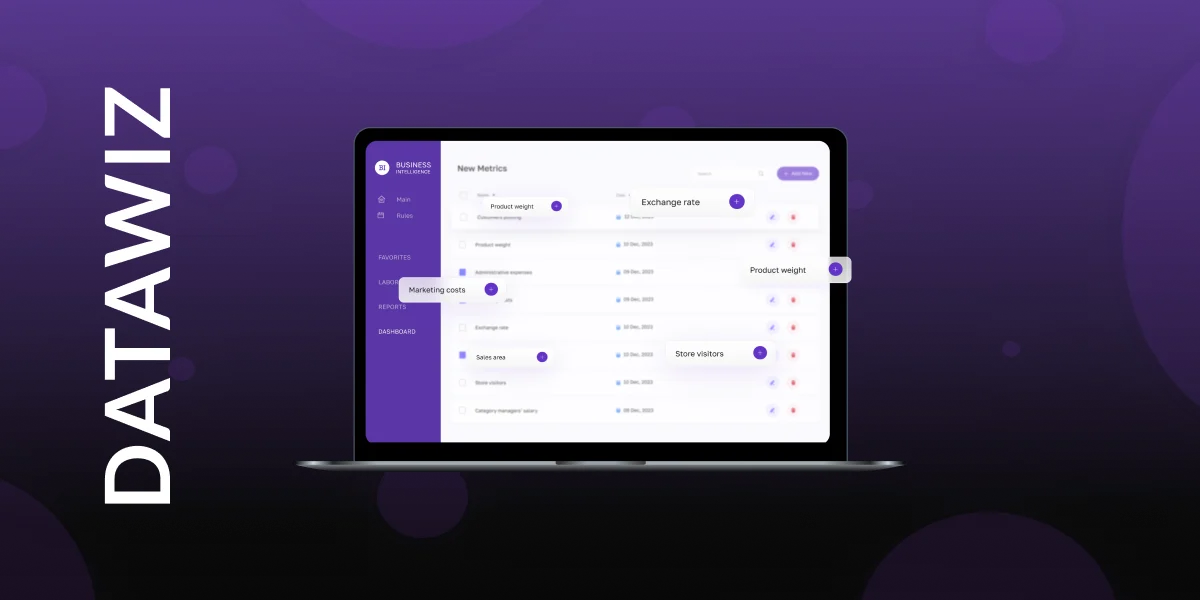
Datawiz is a BI platform designed from the ground up for retail and FMCG, rather than a general-purpose analytics tool adapted for the industry after the fact. Instead of requiring teams to build data models and reports from scratch, it ships with over 60 ready-made reports and more than 700 retail KPIs covering sales by SKU, inventory turnover, stock levels, promo performance, and supplier evaluation — the day-to-day questions category managers and store operations teams actually ask.
The platform sits inside a broader retail analytics ecosystem, where the core BI module is paired with planogram management (PlanoHero), supplier-facing data monetization tools (Data Monetization), and a mobile app for store managers (Store Manager) — meaning the analytics doesn't stop at a dashboard but connects directly into operational workflows like shelf layout or planogram compliance checks in-store. Its natural-language AI assistant, Wizora, lets store operations teams ask questions and get an answer, comparison, or dashboard back without touching a report builder — a focus of recent releases that lines up with the broader shift toward conversational analytics that larger vendors like Qlik and ThoughtSpot are pushing in 2026 as well. Datawiz has been in the retail analytics space for over a decade and reports deployments across 200+ retail chains in 31+ countries, spanning grocery, pharmacy, DIY, and specialty retail — underscoring a focus on multi-format retail chains rather than general enterprise BI.
Pricing:Calculated individually based on store count, SKU volume, and monthly receipts, with a one-time integration fee plus an ongoing monthly fee once integration is complete — exact quote provided on request. Positioned as a more affordable, mid-market alternative to enterprise platforms like Looker, SAP Analytics Cloud, or Domo.
Free version:No permanent free plan; a 14-day free trial is available.
Best retail size:Independent chains and mid-size multi-store retailers (roughly 5–500 locations) that want reporting tailored to retail without building data models from scratch.
Pros
- Prebuilt retail and FMCG report library shortens time-to-first-insight compared to general-purpose BI tools
- BI is tied directly to operational modules like planogramming and store-manager mobile apps, not just dashboards
- Built around multi-format retail (grocery, pharmacy, DIY, specialty) rather than adapted from a generic template
- No per-user licensing caps, and retail-standard methods like ABC/XYZ, RFM, and GMROI come built in rather than needing to be modeled manually
Cons
- Narrower focus than general-purpose platforms — less suited to non-retail reporting like corporate finance or HR
- Smaller ecosystem of third-party connectors and community templates than Power BI or Tableau
- Pricing isn't published, so budgeting requires a sales conversation
Who should choose this platform?
Retail chains and FMCG operators that want category managers, store operations, and other non-analyst teams to self-serve prebuilt, industry-tailored reporting — without routing every question through a dedicated analyst.
Looker (Google Cloud)
Looker's standout feature is its approach to data modeling: business logic and metrics are defined once in a LookML semantic layer, then reused consistently across every dashboard and report — reducing the risk of different departments reporting different numbers for the same metric. The platform integrates tightly with Google Cloud and Vertex AI.
Pricing:No published rate card — sold through Google Cloud sales, with a platform fee typically starting around$60,000/yearfor the Standard edition plus per-user licensing on top; Enterprise and Embed editions run significantly higher.
Free version:No free tier and no self-serve trial (not to be confused with Looker Studio, Google's separate, free lightweight dashboard tool).
Best retail size:Large, multi-region or multi-banner retail enterprises already committed to Google Cloud and BigQuery.
Pros
- Single governed metrics layer keeps regional and franchise reporting consistent
- Deep BigQuery and Vertex AI integration for retailers already on Google Cloud
- Full REST API supports custom internal tools and embedded portals
Cons
- One of the most expensive BI platforms on the market on a total-cost basis
- No self-serve entry point — every deal goes through a sales cycle
- Requires in-house LookML expertise, which adds hiring or consulting cost
Who should choose this platform?
Large retail enterprises with an in-house data engineering team, an existing Google Cloud/BigQuery footprint, and a genuine need to standardize metric definitions across many regions or banners.
Domo
Domo is a cloud-based BI platform built around mobility and speed of deployment, designed to sit on top of existing data warehouses and BI tools rather than replace them. Its strength is a low barrier to entry for business users — building apps, automating data pipelines, and sharing insights with partners or suppliers without pulling in IT.
Pricing:No public per-user rate card since Domo moved to a consumption-based credit model — real-world deployments typically start around$30,000/yearfor small teams and scale into six figures for mid-market and enterprise contracts.
Free version:No permanent free plan; a 30-day free trial with full platform access is available.
Best retail size:Mid-size to large chains with meaningful budget and a large number of external stakeholders (franchisees, suppliers, regional partners).
Pros
- Fastest time-to-first-dashboard among enterprise BI platforms, with minimal IT involvement
- Strong mobile experience for store managers and field teams
- Easy to share live dashboards with franchisees and suppliers outside the company
Cons
- Consumption/credit-based pricing makes costs hard to predict month to month
- Consistently one of the most expensive platforms on a per-user basis
- Not a realistic option for small independent retailers on a limited budget
Who should choose this platform?
Retail chains with a sizable analytics budget and a wide network of franchisees, suppliers, or regional partners who need mobile-friendly, easy-to-share dashboards without heavy IT setup.
Sisense
Sisense pulls data from multiple sources and lets users build analytics without writing code, covering everything from data prep to the final dashboard in one interface. Recent releases have leaned into AI-augmented analytics and embedded ML workflows, including automated anomaly detection.
Pricing:No public rate card — custom quotes only, with reported entry-level contracts typically starting around$21,000–$25,000/yearand scaling with data volume, users, and deployment model (cloud vs. self-hosted).
Free version:No free tier; some resellers offer a short free trial, but it's not standard.
Best retail size:Retailers and retail-tech vendors that need to embed analytics inside their own customer- or supplier-facing products, rather than for internal-only use.
Pros
- Strong embedded/white-label analytics for retailers building supplier or franchisee portals
- Automated anomaly detection reduces manual monitoring of sales and stock data
- No-code dashboard building lowers the skill bar for business users
Cons
- Pricing is opaque and widely reported as unpredictable, especially for embedded use cases
- No free trial in most cases, making it hard to evaluate before committing
- Migration and infrastructure changes have reportedly triggered unexpected costs for existing customers
Who should choose this platform?Retail companies — or retail-technology vendors — that need to embed branded, interactive analytics into their own applications for customers, suppliers, or franchisees.
Strategy One (formerly MicroStrategy)
MicroStrategy rebranded in 2024 — the analytics platform is now Strategy One, and the company is Strategy. The product pairs self-service data prep with enterprise-grade access control and security, making it a common pick for organizations with strict compliance requirements.
Pricing:Standard tier from$13/user/month; named "Professional" enterprise licenses commonly run$600–$900/user/year; Enterprise and on-premise deployments are quoted individually.
Free version:No permanent free plan; a free trial is available on request.
Best retail size:Large retail chains and enterprise retailers with tens of thousands of employees and strict governance or compliance needs.
Pros
- Enterprise-grade governance and access control, well suited to regulated or high-compliance retail environments
- HyperIntelligence surfaces insights inside everyday business apps rather than a separate BI portal
- Over 200 prebuilt connectors reduce integration work
Cons
- Steep learning curve reported consistently across user reviews
- Total cost of ownership can be high once implementation and training are added
- Overkill for smaller retail chains that don't need heavy governance features
Who should choose this platform?
Large retail organizations — particularly those in regulated categories like pharmacy or grocery — that need strict data governance and access control across many store locations and departments.
ThoughtSpot
ThoughtSpot is built around natural-language search: instead of building a dashboard, users type a question and get a visualization back. The platform continuously scans data for anomalies and trends without being prompted, which suits executives who want direct answers without routing every question through an analyst.
Pricing:Essentials from$25/user/month; Pro from$50/user/month(includes AI-driven Spotter agent, 25–1,000 users); Enterprise is custom-quoted (billed annually).
Free version:A limited free Developer/embedded sandbox exists (capped at 5 users, one-year term) for proof-of-concept work, but there's no free tier for full production analytics.
Best retail size:Mid-size to large retail chains where operations leaders want fast answers without going through an analyst team.
Pros
- Natural-language search gets non-technical retail managers to an answer in seconds
- Proactive, unprompted anomaly detection on sales and inventory data
- Runs analytics directly against cloud data warehouses without heavy ETL
Cons
- Pricing is usage/query-based on top of per-seat fees, which can make costs unpredictable at scale
- Visualization customization lags behind Tableau
- Real-world enterprise contracts often run well above list price
Who should choose this platform?
Retail operations leaders and executives who want a fast, plain-English answer to questions like "why did category sales drop last week" without waiting on a dedicated analyst.
SAP Analytics Cloud
SAP Analytics Cloud is tightly connected to the SAP HANA and SAP ERP ecosystem, which matters most for large retail chains already running SAP for supply chain and finance. It combines BI, planning, and predictive analytics in a single tool, cutting down on the need to switch between separate systems for reporting and budgeting.
Pricing:Business Intelligence plan from roughly$36/user/month; Planning and predictive editions are priced separately and run considerably higher.
Free version:No permanent free plan; a free trial/demo is available.
Best retail size:Large retail chains and enterprises already running SAP ERP for procurement, warehouse, or finance.
Pros
- Deepest native integration for retailers already on SAP ERP/HANA
- Combines BI, planning, and predictive forecasting in one licensed product
- Reduces the number of separate systems needed for reporting and budgeting
Cons
- Value drops sharply for retailers not already invested in the SAP ecosystem
- Planning/predictive editions add significant cost on top of the base BI plan
- Interface and setup lean toward SAP-experienced admins rather than casual business users
Who should choose this platform?
Retail enterprises whose procurement, warehouse, and finance operations already run on SAP and want BI, planning, and forecasting inside the same environment.
Best BI Software by Retail Segment
Different retail formats tend to gravitate toward different platforms based on what they optimize for — corporate reporting depth, embedded partner access, or operational speed at the store level.
- Grocery, pharmacy, and other FMCG chains:Datawiz and SAP Analytics Cloud tend to fit best — Datawiz for chains that want industry-tailored reporting out of the box, SAP for those already running SAP ERP for procurement and supply chain.
- Fashion, apparel, and specialty retail:Tableau and Qlik are common choices, thanks to strong visual merchandising and promo-performance analysis.
- E-commerce and direct-to-consumer brands:Power BI and ThoughtSpot are frequently used for fast, self-service reporting without a large analytics team.
- Large multi-banner or franchise retail enterprises:Looker and Strategy One (MicroStrategy) suit organizations that need governed, standardized metrics across many regions or franchise partners.
- Retailers embedding analytics into supplier or franchisee portals:Sisense and Domo are built around exactly this use case.
- Independent and small multi-store retail chains:Datawiz and Power BI offer the lowest cost of entry with the least setup time.
Retail BI Software Comparison Table
Platform | Core strength | Best fit | Pricing | Free tier |
Microsoft Power BI | Microsoft 365 and Azure integration | Companies on the Microsoft stack | From $14/user/mo (Pro) | Yes (no sharing) |
Tableau | Data visualization and exploration | Analytics and category management teams | From $15/user/mo (Viewer); Creator from $75 | No (Public/local only) |
Qlik Cloud Analytics | Associative analysis, agentic analytics | Deep self-service data exploration | From $30/user/mo (Business) | Desktop only, no sharing |
Datawiz | Prebuilt retail-specific reporting | Business users who need self-serve reporting without an analyst | Custom quote (mid-market, below enterprise pricing) | No (14-day free trial) |
Looker | Unified metrics layer (LookML) | Large chains with a data engineering team | From ~$60,000/yr platform fee | No |
Domo | Fast deployment, external data sharing | Chains with franchisees and outside partners | From ~$30,000/yr (custom) | No (30-day trial) |
Sisense | Embedded analytics | Companies embedding BI in their own products | From ~$21,000–25,000/yr (custom) | No |
Strategy One (MicroStrategy) | Enterprise governance and security | Large chains with strict compliance needs | From $13/user/mo (Standard) | No (trial on request) |
ThoughtSpot | Natural-language search, auto-insights | Executives who want fast answers, no analyst needed | From $25/user/mo (Essentials) | Limited dev sandbox only |
SAP Analytics Cloud | Deep SAP ERP/HANA integration | Retailers on SAP infrastructure | From ~$36/user/mo | No (free trial) |
Pricing figures are aggregated from public vendor pages and independent pricing research as of mid-2026. Most platforms discount meaningfully at volume or on multi-year contracts — always request a current quote before budgeting.
FAQ: Choosing Business Intelligence Software for Retail
How is retail business intelligence different from general-purpose business intelligence?
Technically, there's not much difference — most platforms on this list work equally well outside retail. The real difference is time-to-value: platforms purpose-built for retailers ship with prebuilt reports for SKU-level sales, inventory, promotions, and margin, while general-purpose BI platforms require building those data models from scratch, which can take weeks or months of analyst time.
Which retail BI platform is best for grocery chains?
Grocery is one of the more demanding retail segments for BI, since margins are thin, SKU counts are high, and stock has to be tracked constantly against spoilage and shelf life. Retail-specific platforms like Datawiz tend to fit best here, since grocery reporting — replenishment, shrinkage, promo cannibalization — comes prebuilt rather than modeled from scratch. Chains already running SAP for procurement often add SAP Analytics Cloud instead, for the tighter ERP integration. General-purpose retail analytics platforms such as Power BI or Tableau can also work, but usually require building grocery-specific metrics like GMROI or shelf-life tracking manually.
How long does it take to implement retail BI software?
It depends heavily on whether the platform ships with retail-ready templates or has to be modeled from scratch. Retail-specific tools with prebuilt connectors and report libraries can typically go live in a few days to a few weeks for a single chain. General-purpose BI platforms — Power BI, Tableau, Qlik — can technically connect to a data source within days, but building out retail-specific dashboards, KPIs, and data models usually takes several weeks to a few months. Full enterprise rollouts on platforms like Looker, SAP Analytics Cloud, or Strategy One, especially across many stores, regions, or countries, commonly run 2–6 months, and longer for complex multi-country deployments.
Does a small retail chain with 5–10 stores need a BI platform at all?
Yes, if pulling reports manually from POS and inventory systems is already eating into managers' time. Smaller chains usually get more value from tools with prebuilt retail templates and transparent pricing than from enterprise platforms designed for heavy IT customization and six-figure annual contracts.
Can a retailer run more than one BI tool at the same time?
Many larger chains do exactly that — using Power BI or Tableau for finance and corporate reporting, and a retail-specific tool for store-level and category operations. The key is agreeing in advance which system is the source of truth for each metric, so different departments don't end up reporting different numbers for the same thing.
How important are AI and natural-language features in 2026 retail BI tools?
It's one of the fastest-moving areas in the whole category — nearly every major vendor shipped or announced natural-language query features in 2026, letting users ask a question in plain text instead of building a dashboard manually. For retail, this matters most for store operations managers who need a fast answer to something like "why did category X sales drop last week" without waiting on an analyst.
What should retailers prioritize when evaluating retail analytics software?
Three things tend to matter more than everything else: native connectors to your existing POS/ERP systems, how fast you can get a working dashboard without months of setup, and whether a regular store manager — not just a data analyst — can actually read and act on the reports day to day. It's also worth shortlisting a few retail analytics software side by side rather than committing to the first demo, since pricing models and implementation timelines vary widely across vendors.
Which retail BI platforms offer a genuinely free way to start?
Power BI's free tier is the most usable for solo exploration, though sharing requires a paid seat. Qlik Sense Business Desktop is also free for individual, non-shared use. Most enterprise-grade platforms — Looker, Domo, Sisense, SAP Analytics Cloud — skip a free tier entirely in favor of a sales-led trial or demo.

Make decisions based on real data with Datawiz BI


 No credit card required